Optical光学层
Contrast is computed for light and dark surfaces. Colors are adjusted for where they are rendered, not blindly copied.亮底、暗底分别计算对比度;根据渲染位置调整,而不是把同一个 hex 到处硬贴。
OneLook — one palette, three layers: optical · scene · semantic. Free configures iTerm2. Paid makes that palette walk out. OneLook —— 一份色板,三层观感:光学 · 场景 · 语义。 免费版配好 iTerm2;付费版让这份色板走出去。
In July 2026 I compared a hand-maintained Warp theme against its iTerm2 source, slot by slot. Nothing reported an error; the colors had simply drifted.2026 年 7 月,我把手工维护的 Warp 主题和 iTerm2 源色逐槽核对。全程没有报错,颜色只是静默地漂了。
That is why OneLook derives every target from one palette instead of copying theme files by hand.所以 OneLook 不再手抄主题文件,而是从一份色板推导所有目标。
Contrast is computed for light and dark surfaces. Colors are adjusted for where they are rendered, not blindly copied.亮底、暗底分别计算对比度;根据渲染位置调整,而不是把同一个 hex 到处硬贴。
Terminals, bat, fzf, git diff, tmux and VS Code are generated from the same source palette.终端、bat、fzf、git diff、tmux、VS Code 都由同一份源色板生成。
Success, warning, error, paths and Git references keep the same visual meaning across tools.成功、提醒、错误、路径和 Git 引用,在不同工具里继续表达同一种意思。
Three schemes, blur, triggers, semantic Cmd-click, CLI set, doctor, migration and uninstall.3 套配色、毛玻璃、Triggers、语义 Cmd-click、CLI、自检、迁移与卸载。
Install free →安装免费版 →Six terminals, CLI tools, workspaces, palette derivation and agent-driven operations. Includes one year of updates.六终端、命令行工具、工作区、色板推导和 AI 驱动;含一年更新。
Compare builds →查看完整分档 →$ ./install.sh --dry-run # preview every change先预览每一项改动 $ ./install.sh # backup, then apply备份后再应用 $ ./uninstall.sh # restore from backup从备份还原
macOS only. Ships no font files — it detects what you already have.只支持 macOS。不分发字体,只探测你本机已经安装的字体。
On the left, each tool picks its own colors. On the right, every one of them is generated from a single palette — so switching theme once moves all of them together. 左边是每个工具各说各的颜色,右边是它们全部由同一份色板生成 —— 所以换一次肤,它们会一起变。
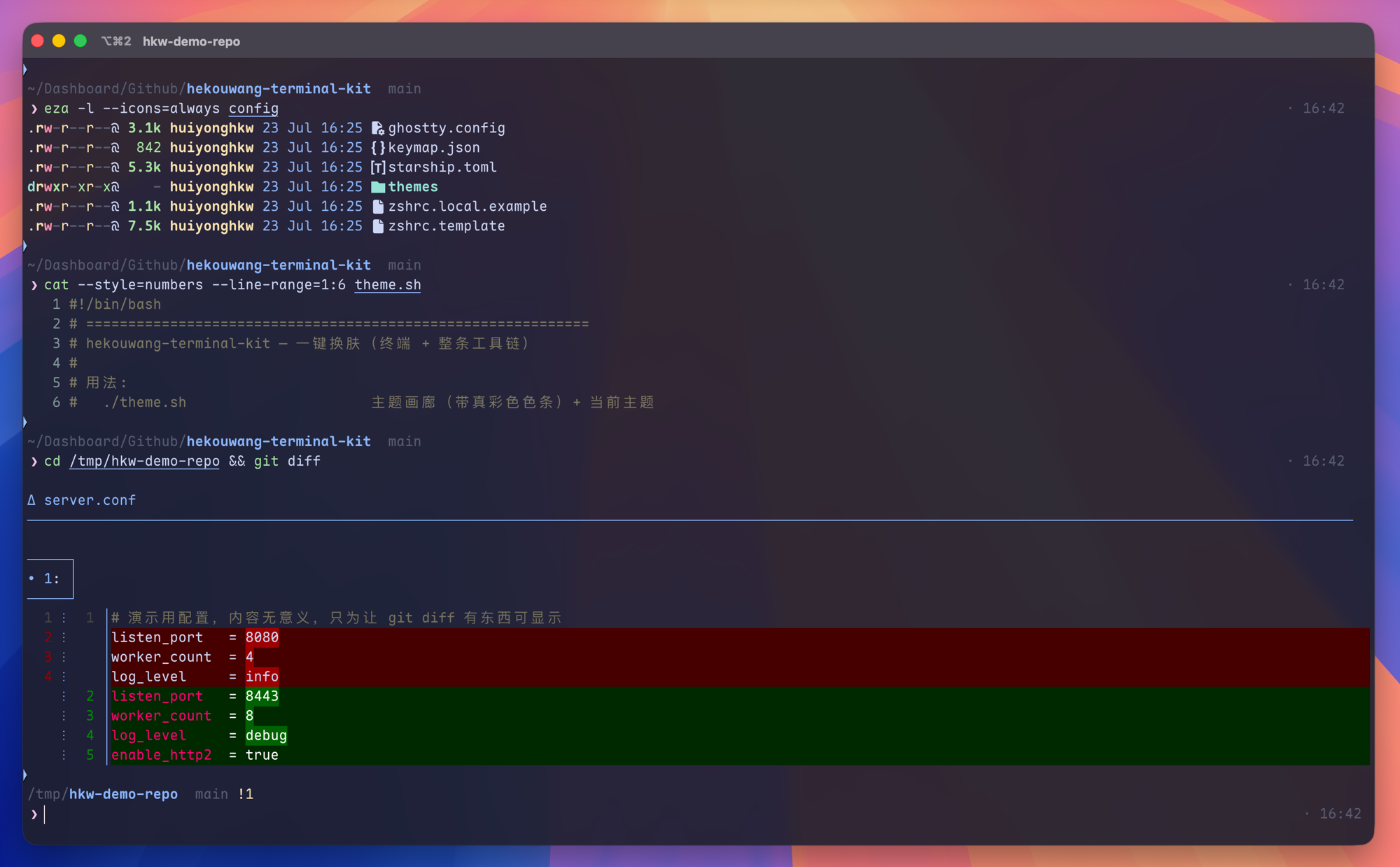
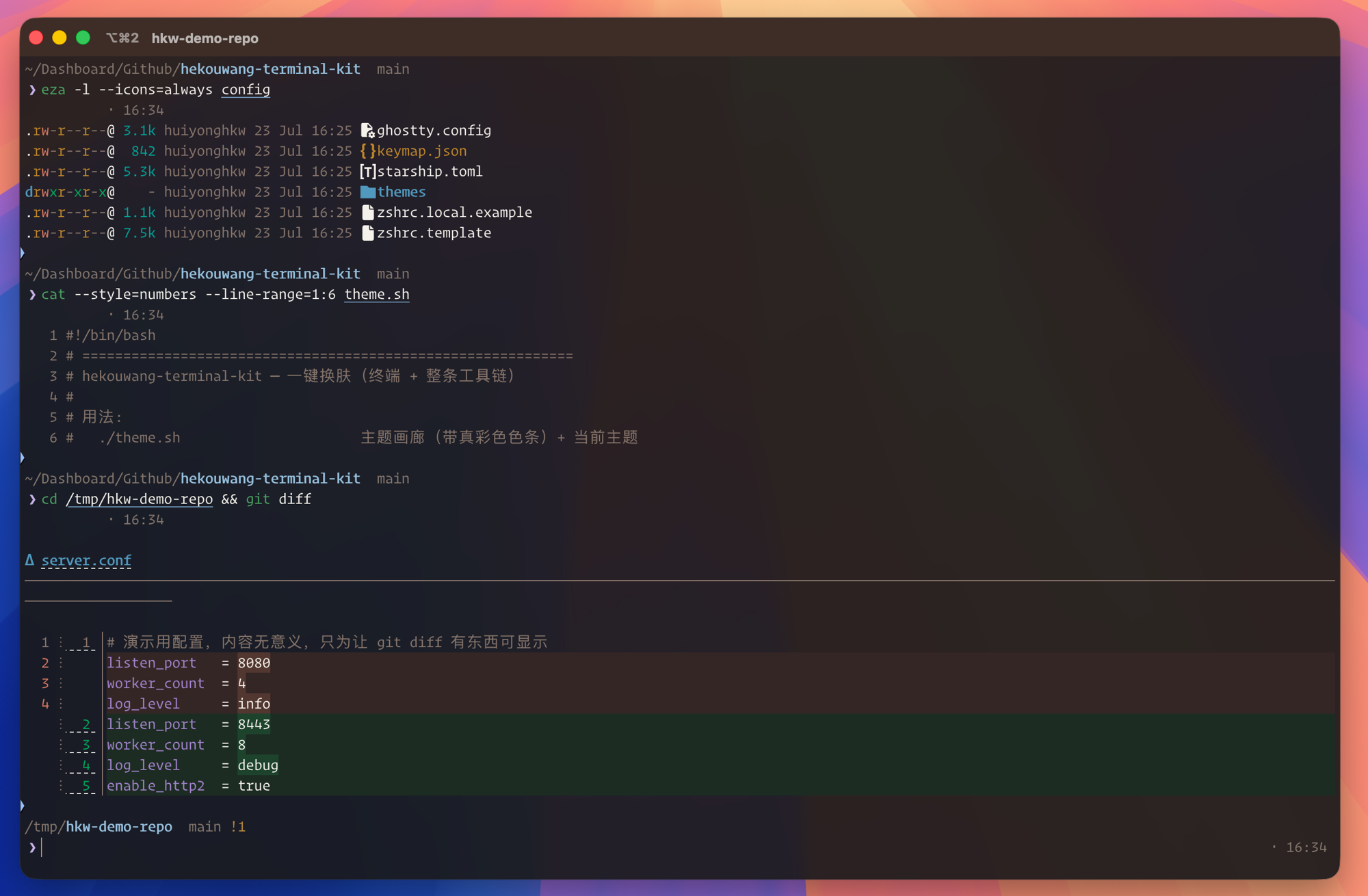
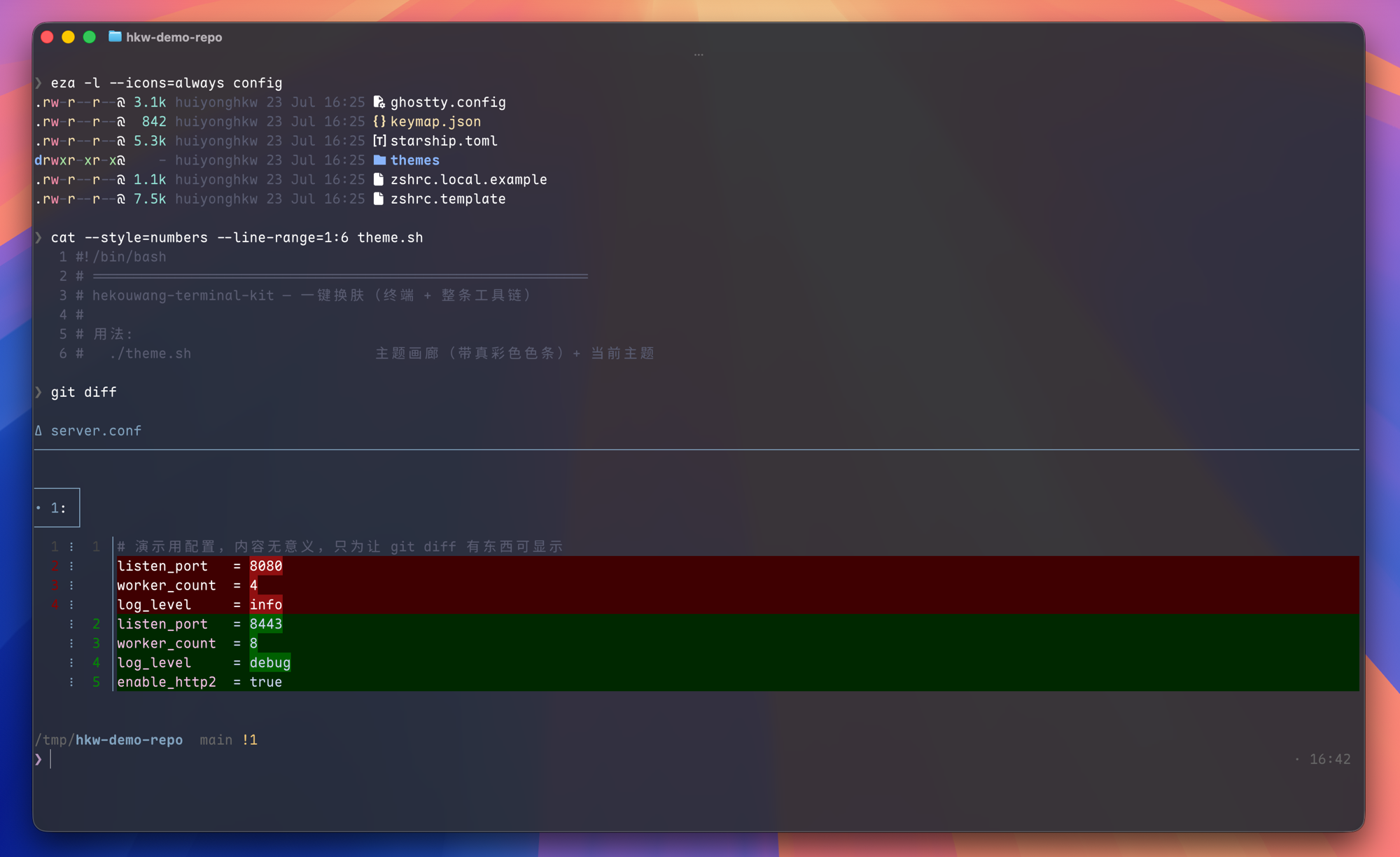
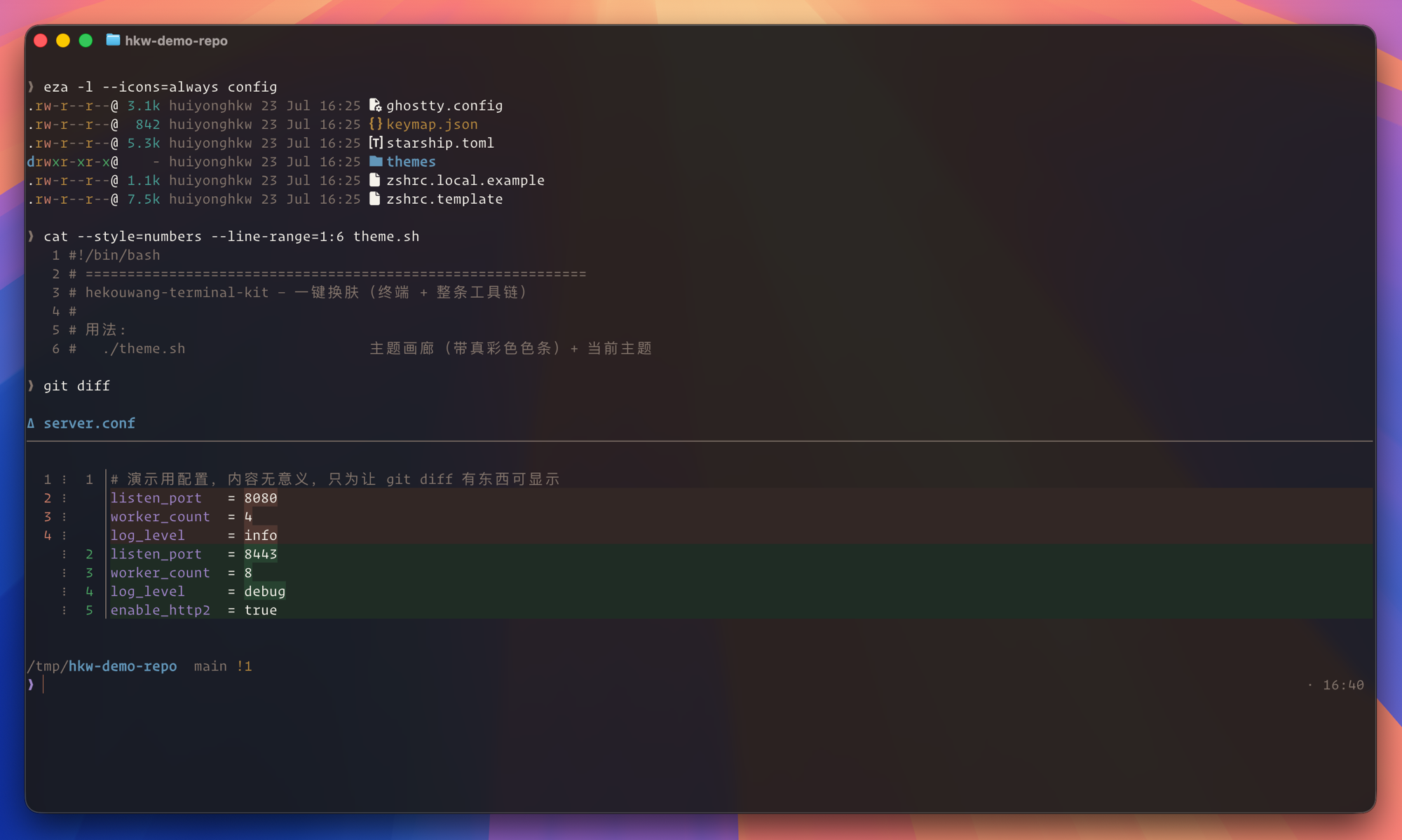
A Warp theme I maintained myself carried a comment saying "identical to the iTerm2 one" while 12 of its 16 color slots were actually wrong — and nothing ever reported an error. In the paid build the colors are derived, not copied, so a theme switch recomputes all of them. 我自己手工维护的一套 Warp 主题,注释上写着「与 iTerm2 那套完全一致」, 实际上 16 个色槽错了 12 个 —— 全程没有任何报错。 付费版里颜色是推导出来的、不是抄过去的,所以换一次肤就重算一遍,永远同色系。
| Open source · MIT · free开源版 · MIT · 免费 | Paid · ¥19.9付费版 · ¥19.9 | |
|---|---|---|
| A fully configured iTerm2 (3 schemes, blur, triggers, semantic Cmd-click, CLI set, doctor, migrate, uninstall)配好的 iTerm2(3 套配色、毛玻璃、Triggers、语义 Cmd-click、CLI 全家桶、体检、迁移、卸载) | ✓ | ✓ |
| Claude Code Skill — an agent drives the whole kit: “switch me to a light theme”, “why is my terminal slow to open”Claude Code Skill —— 让 AI 驱动整套:「给我换个亮色主题」「我终端怎么开得这么慢」 | — | ✓ |
| Six terminals same palette — iTerm2 · Ghostty · Warp · cmux · Tabby · Terminal.app (docs)六终端同色 —— iTerm2 · Ghostty · Warp · cmux · Tabby · 自带终端(说明) | — | ✓ |
bat / fzf / eza / git diff / tmux / VS Code in the same colorsbat / fzf / eza / git diff / tmux / VS Code 同色 |
— | ✓ |
Project workspaces — cd into a project, the tab recolors and prints its name项目工作区 —— cd 进项目,标签页自动变色 + 印项目名 |
— | ✓ |
| Import hundreds of existing themes, plus a palette deriver (one brand color → a whole set)导入几百套现成主题,外加色板推导器(给一个品牌色 → 推出整套) | — | ✓ |
| 4 brand themes, two of them light (contrast actually computed, not eyeballed)4 套品牌主题,含 2 套亮色(对比度是算出来的,不是眼估的) | — | ✓ |
| Font priority table — picks up commercial fonts you already bought (Operator Mono, …)字体优先级表 —— 自动认出你已购买安装的商业字体(Operator Mono 等) | — | ✓ |
| A4 cheat sheet · one year of updates · help when it breaksA4 速查卡 · 一年更新 · 装崩了有人管 | — | ✓ |
How the split is enforced is in the open: release.sh in the public repo is the
script that produces both builds. No unlock codes, no phone-home. With the paid files absent the
generator still produces the complete iTerm2 theme and simply says which parts belong to the paid pack.
分档逻辑摆在明面上:公开仓里的 release.sh 就是导出这两档的那个脚本,
不搞解锁码、不回连服务器。付费件缺席时生成器照常出完整的 iTerm2 主题,只会说明哪几样属于付费包。
No. The installer migrates the existing file and makes a backup before applying changes. Run --dry-run first to see the exact plan.不会。安装器会迁移现有文件,并在应用改动前备份。你可以先跑 --dry-run 看清全部计划。
No. It is the complete MIT-licensed iTerm2 build, not a trial. Upgrade only if you want the same palette in more terminals and tools.不会。它是 MIT 授权的完整 iTerm2 版,不是试用版。只有想把色板扩展到更多终端和工具时才需要升级。
No phone-home and no unlock server. Theme generation and application run locally; the public release.sh shows how the two builds are split.不会回连服务器,也没有在线解锁。主题生成与应用都在本地执行;公开的 release.sh 直接展示两档如何分开。
Choose a zip package or access to the private repository. Both include one year of updates; the repository route lets you use git pull.可以选择 zip 包或私有仓权限,两种都含一年更新;私有仓路径可以直接用 git pull。