
Doctor体检
Self-check, status dashboard, and parity. Uninstall is a separate page.自检、状态机与一致性验收。卸载见独立页。
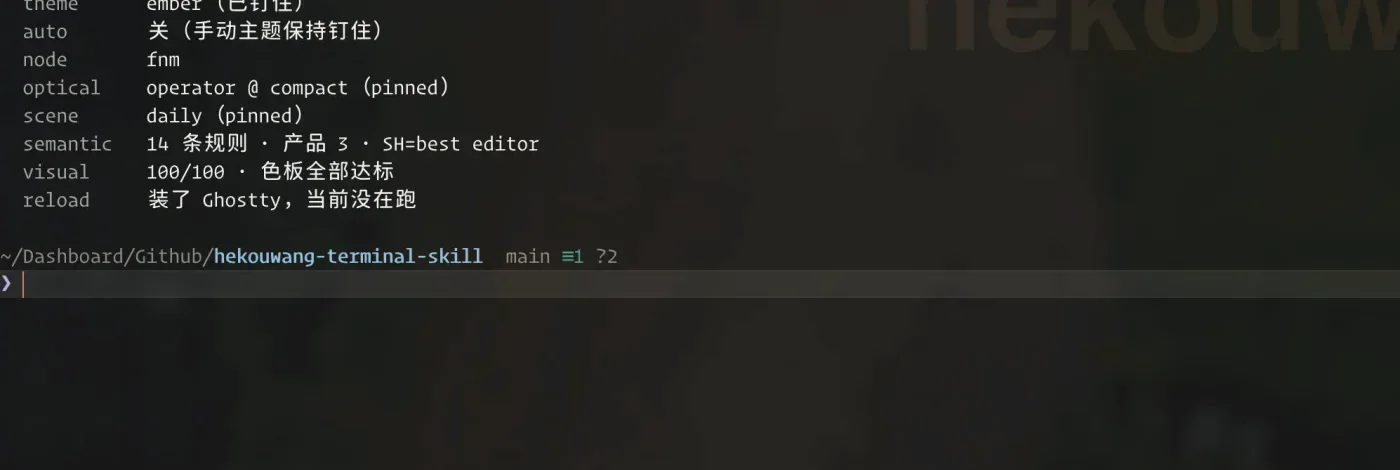
doctor.sh --status on a working machine: theme / auto / node / optical / scene / semantic / visual / reload. Shot on the development machine, not a clean install.doctor.sh --status 在正常机器上的输出:theme / auto / node / optical / scene / semantic / visual / reload。截图来自开发机,不是干净安装环境。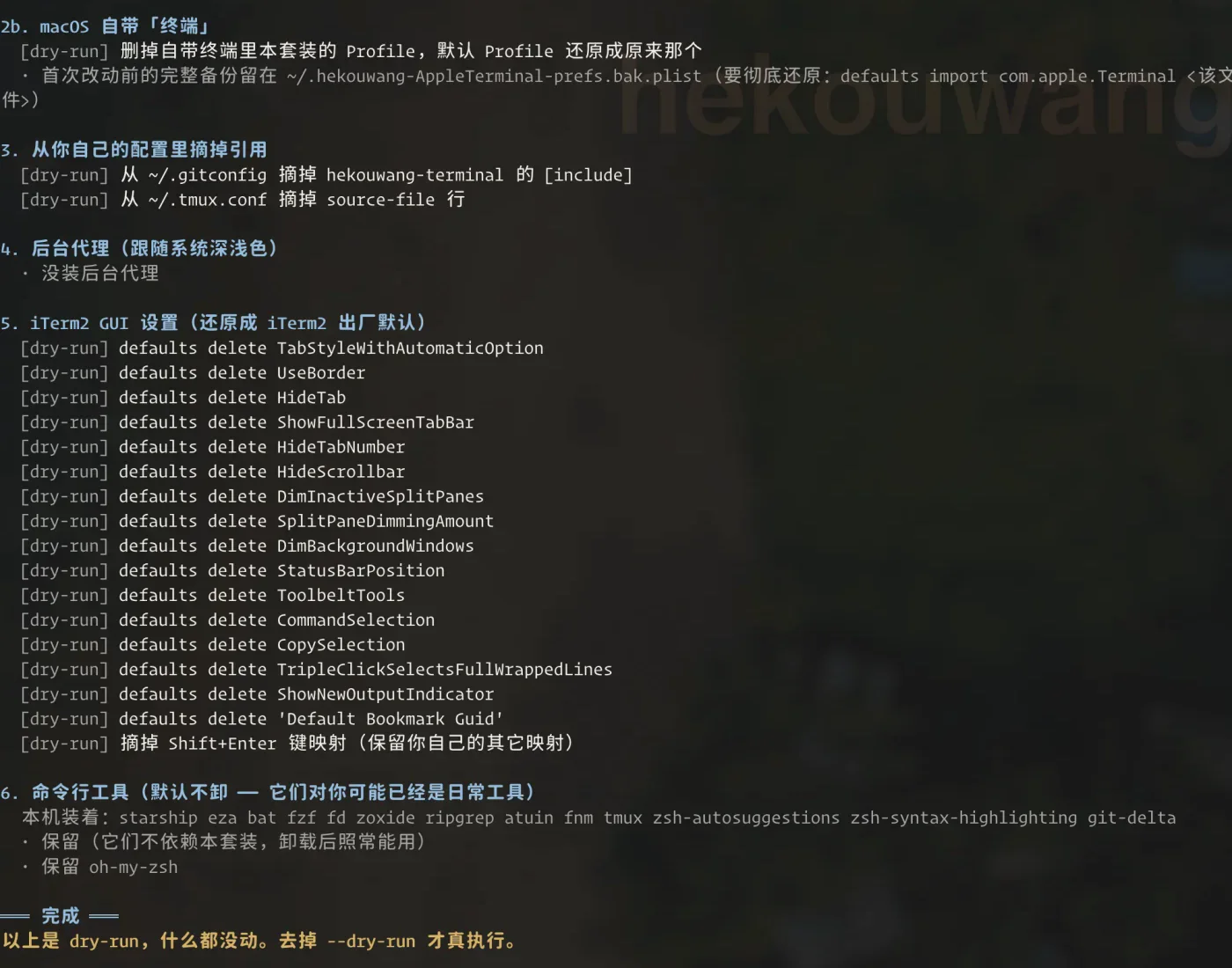
uninstall.sh --dry-run: every line is prefixed [dry-run]; nothing is touched until you drop the flag. Shot on the development machine.uninstall.sh --dry-run:每行都带 [dry-run] 前缀;去掉参数才会真执行。截图来自开发机。State dashboard状态机仪表盘
$ ./scripts/doctor.sh --status
One glance at what is pinned: theme / auto / node / optical / scene / semantic / visual / Ghostty reload. Optical and scene show values only on the Pro build; on lite they read as paid-only.一眼看钉住了什么:theme / auto / node / optical / scene / semantic / visual / Ghostty reload。光学与场景只在专业档有值;Lite 版会标成专业档。
Cmd+Shift+, in Ghostty. New tabs alone will not reload it.若磁盘上的 Ghostty 配置比进程新,仪表盘会提示 —— 在 Ghostty 里按 Cmd+Shift+,。只开新标签不够。
Full self-check完整体检
$ ./scripts/doctor.sh
$ ./scripts/doctor.sh --status
$ ./scripts/doctor.sh --parity
$ ./scripts/doctor.sh --fix
$ ./scripts/doctor.sh --profile
Section 0 is the same dashboard. Later sections cover CLI tools, fonts, Dynamic Profile (Triggers + semantic rules), Cmd-click preference, ecosystem colors, .zshrc order, and shell startup time.第 0 节就是同一份仪表盘。后面各节查 CLI、字体、Dynamic Profile(Triggers + 语义规则)、Cmd-click 开关、生态配色、.zshrc 顺序、启动耗时。
--parity is the focused, read-only acceptance report: it compares the active iTerm2 profile with the source theme; on the Pro build it also checks the generated terminal and tool-chain targets.--parity 是单独的只读验收报告:免费版核对 iTerm2 激活 Profile 与源主题;专业版继续核对生成出的多终端和工具链目标。
See also: Semantic layer for Cmd-click path:line / SHA / port.另见:语义交互层(Cmd-click 路径:行号 / SHA / 端口)。
To remove the skill, see Uninstall (uninstall.sh --dry-run first).要卸掉本技能,见卸载(先 uninstall.sh --dry-run)。